PANASONIC W1505A Word Processor Printer Screen Floppy Drive K1505A
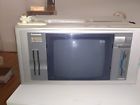
( Brand: Panasonic ), ( Model: K1505A ), ( Type: Word Processor )
Review PANASONIC Vintage Word Processor Built Printer Screen Floppy Drive
The Panasonic K1505A W1505A is a multifunctional device that combines the functionalities of a word processor, printer, and floppy disk drive into one compact unit. This model, specifically the K1505A, is a part of the W1505 series, known for their reliability and user-friendly design.
The word processor feature of this device is equipped with a high-resolution LCD screen, allowing you to compose, edit, and review your documents with ease. The screen offers a clear and sharp display, ensuring that you can easily read and navigate your documents. The word processor also includes a range of editing tools, such as font selection, formatting options, and spell-check, making it simple to create professional-looking documents.
Moving on to the printer aspect, the Panasonic K1505A W1505A is equipped with a high-quality thermal printer. This technology ensures fast and reliable printing, with the ability to print text and graphics in a variety of fonts and sizes. The printer also supports double-sided printing, saving you paper and time. Additionally, the device is compatible with a wide range of paper sizes, including A4 and A5, making it a versatile option for both personal and business use.
The floppy disk drive is another key feature of the Panasonic K1505A W1505A. This allows you to save and transfer your documents to a floppy disk, providing a backup solution and enabling easy transportation of your files. The device supports 3.5-inch floppy disks, which were a popular storage medium at the time of this device's release.
In terms of design, the Panasonic K1505A W1505A features a sleek and compact design, making it easy to place on a desk or table. The device is also lightweight, making it portable for those who need to take their work on the go. The controls are simple and intuitive, allowing users of all levels of technical ability to use the device effectively.
In conclusion, the Panasonic K1505A W1505A is a versatile and reliable multifunctional device, offering the functionalities of a word processor, printer, and floppy disk drive in one compact unit. Its high-resolution LCD screen, high-quality thermal printer, and floppy disk drive make it a versatile and functional option for both personal and business use.
The Panasonic K1505A W1505A is an all-in-one device that incorporates a word processor, printer, and a floppy drive in one unit. Here are some pros and cons to consider before making a decision to purchase:
Pros:1. Convenience: The K1505A offers the benefits of having a word processor, printer, and floppy drive in a single device, saving space and reducing the need for multiple purchases.
2. Cost-Effective: It can be more affordable than buying separate devices, especially if you require all three functionalities.
3. Versatility: The floppy drive allows for data storage and transfer, which was a common method before the widespread use of USB drives and cloud storage.
4. Easy to Use: The device is user-friendly and may be suitable for individuals who are not tech-savvy.
5. Compact Design: The compact size of the device makes it portable and easy to move around.
Cons:1. Limited Functionality: The device may not offer advanced features or capabilities compared to specialized devices.
2. Outdated Technology: The floppy drive is an outdated technology, which may limit its compatibility with modern operating systems and devices.
3. Print Quality: The printer quality may not be as good as standalone printers, especially for high-resolution images or documents.
4. Limited Software Capabilities: The word processor may not include advanced editing features or compatibility with modern file formats.
5. Slow Speed: The device may have slower performance than modern all-in-one devices or separate devices due to its older technology.
Conclusion:The Panasonic K1505A W1505A may be a suitable option for individuals who require a basic all-in-one device and are comfortable with its limitations. However, if you require advanced functionality or high-quality printing, it may be worth investing in separate devices or more modern all-in-one models. Ultimately, it is essential to weigh the pros and cons and consider your specific needs before making a purchase decision.
Details:
Please see pictures for details and condition. The ribbon is dried out so you can hear it printing but nothing prints on paper. The screen comes on and it types just fine.
The knobs are missing on word processors paper roller. Condition is subjective and items are sold as but I would be happy to answer questions or provide more pictures if needed.
part #: k1505a prices
- $38.00-$199.00
specifications tywritwor:
- brand: Panasonic
- model: K1505a
- type: Word Processor
Ratings:
- Super Quick Payment! Great ! Pls leave us FeedBack TY: 02-13-17
- Great, Prompt payment, A Transaction Thanks, 7he 8est Store Ever 11-14-16
- Thank you for an easy, pleasant transaction. Excellent buyer.. 02-20-18
- Thank you very much for your purchase! Happy Holidays! 12-08-17
- Super quick payment.Great Transaction.Hope to deal with you again! Thank you: 12-05-16
Offer tywritwor:
- quantity: 1
- best offer: false
- Sold: 0
- bids: 0
- min. bid: $30.00
- Started: April 3, 2018, 1:28 pm
Returns tywritwor:
- policy: no returns
Payments tywritwor:
- PayPal
Seller tywritwor:
- city: Arvada, Colorado
- zipcode: 80002
General tywritwor:
- condition: Used
- office equipment > typewritersword processors
- in stock: Yes
Shipping tywritwor:
- cost: $0.0
- type: Calculated
- handling: 3 days
Panasonic K1505A Is Similar To:
- Fw-u1c50 Panasonic Rare Personal Word Processer Color Display Japanese Keys (50.3% similar) ...(April 11th, 2018)
- Fw-u1p501 Panasonic Pro Vintage Japanese Word Processor Model (56.9% similar) Panasonic u1 pro 501 vintage Japanese word processor model FW-U1P501...(May 28th, 2018)
- Kx-4000 Panasonic Vintage Kx-e4000 Electric (47.1% similar) Power cord included. Panasonic typewriter fast shipping this unit was tested to power on...(October 6th, 2017)
- Kx-e601-kx-e603 Panasonic Vintage Electronic Typewriter Users Manual (45.8% similar) Vintage Panasonic KX-E601 KX-E603 electronic typewriter users manual. 45 pages very good condition...(August 6th, 2018)
- Kx E700m Panasonic Vintage Electronic Typewriter Type Writer (52.9% similar) The unit functions and all of keys respond. Ships well protected. It will however need a new ribbon due to age. This is a great vintage 1980 S Panasonic JX series typewriter...(June 12th, 2018)
- Kx-e828 Panasonic Vintage Word Processor Complete With Manuals Cassettes Extras (52.9% similar) Note: the processor monitor connector cord cover at end has come away from wire - see picture. Note: on the processor monitor connector cord end, there are 7 pins around circumference and a space. This vintage Panasonic word processor is unique in that it complete and totally functional. You should ...(July 7th, 2018)
- Kx-p110i Panasonic Printer Ribbon New (44.2% similar) Panasonic KX-P110I black ink cartridge includes 1 ink, new old stock factory sealed. See photos for details...(September 25th, 2017)
- Kx-p140 Panasonic Printer Ribbon New (44.6% similar) See photos for details. Panasonic KX-P140 black ink cartridge includes 1 ink, new old stock factory sealed...(September 25th, 2017)
- Kx-r250 Panasonic Vintage Electronic Portable (49.6% similar) Great versatile little unit. Original user manual included. Types quickly with a charming vintage typewriter sound when it saved text. Comes with hard plastic dust cover that converts to compact portable for carrying its own handle. Very good condition, just a few scratches on external cover. Fully ...(August 9th, 2017)
- Kx-r430 Panasonic Vintage Electronic Typewriter (48.8% similar) Good shape with some marks. Has ribbon that works. Vintage Panasonic electronic typewriter KX-R430 with CCU-spell check and LCD tested working...(September 26th, 2017)
- Kx-r445 Panasonic Retro Vintage Electronic Typewriter Model (48.9% similar) Letter quality daisy wheel printing ELEMENT12-INCH paper capacity 10, 12, 15 PITCH63,000 word dictionary and apprise. Tested and working excellent. Has original box, power cord, cover. Ribbon print is dark, not light and faded about to run out...(April 25th, 2018)